
What are lead-to-client systems?
A practical explanation of how enquiry capture, CRM, follow-up, quoting, reporting and handover connect.
Read article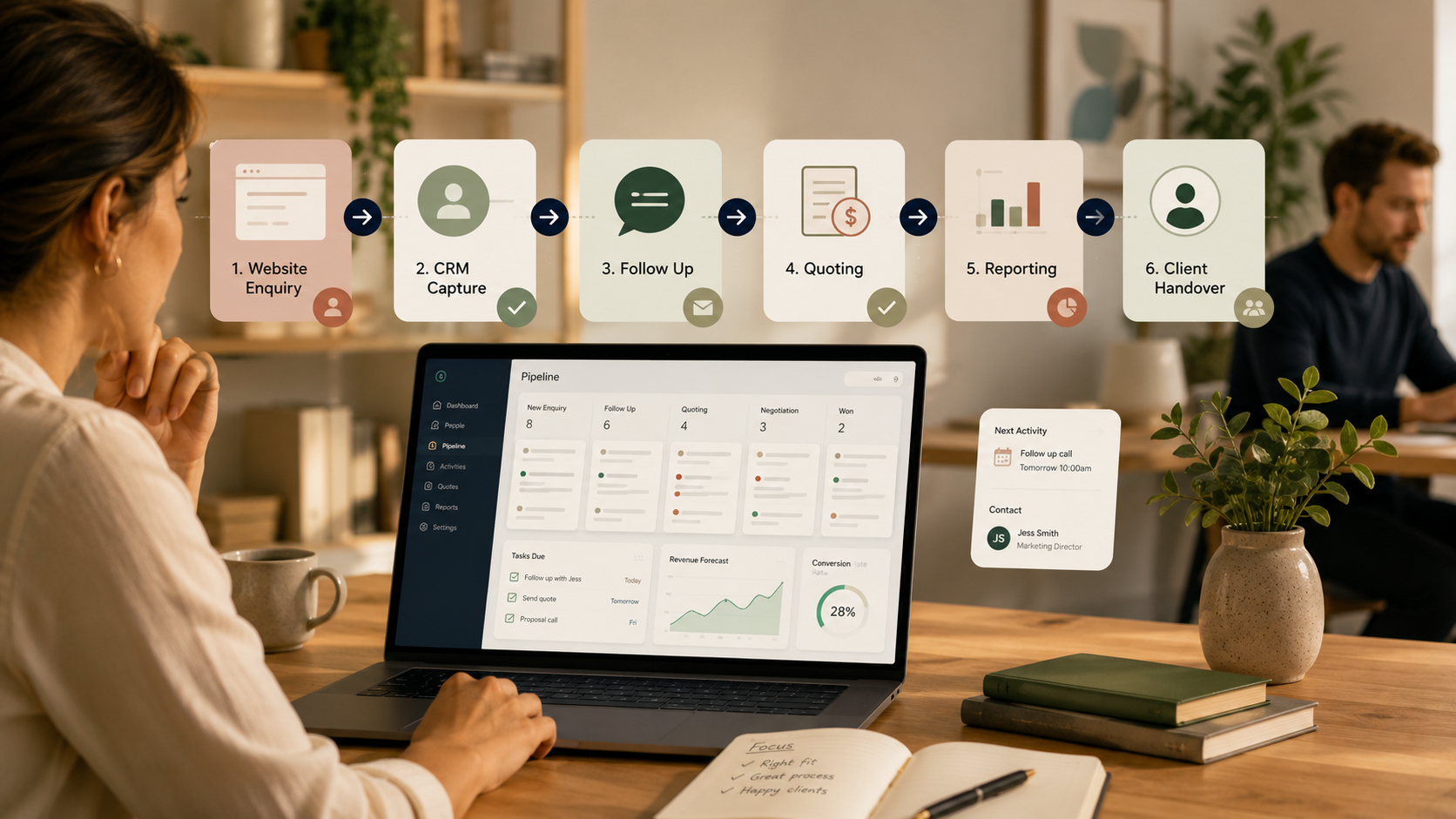
A lead-to-client system is the connected way your business captures an enquiry, records it, follows it up, prepares a quote or proposal, tracks the outcome and hands the work over once the client says yes.
It is not just your CRM. It is not just your website form. It is not just a sales pipeline. It is the full journey between someone showing interest and your team being ready to deliver the work clearly.
In the early stages, a business can often manage enquiries through memory, inboxes, spreadsheets and informal conversations. That usually works while the volume is low and one person knows everything. As the business grows, the same informal setup can quietly create gaps: enquiries are missed, follow-up depends on memory, quotes sit in different tools, and reporting becomes difficult to trust.
A simple lead-to-client system gives the business a shared way to answer five questions:
CRM tools are designed to help with this type of customer and pipeline visibility. For example, HubSpot describes CRM software as a way to organise customer relationships, track leads and understand where each customer sits in the buying process. HubSpot's CRM overview is a useful reference point if you are still clarifying what a CRM should do.
This is how new leads enter your business. It may include website forms, HubSpot forms, email enquiries, phone calls, social media messages, referral introductions or meeting booking links. The goal is not to collect as much information as possible. The goal is to collect enough useful context to respond well and route the enquiry correctly.
Your CRM should give your team a reliable record of the person, company, service interest, source, status and next step. If important information only exists in someone's inbox, notes app or memory, your CRM is not yet acting as the source of truth.
Every active lead should have a clear next action. That might be a call, email, quote, proposal, internal review or waiting period. A useful follow-up system makes it obvious what needs attention without forcing you to manually scan every email thread.
A pipeline turns the invisible sales process into visible stages. HubSpot recommends separate pipelines only where there are genuinely different processes with unique stages, rather than creating extra complexity for the sake of it. HubSpot's pipeline guidance is a helpful reference when deciding whether your stages match how work actually moves.
For many service businesses, quoting is where momentum slows. A lead may be qualified, but the proposal process is unclear, pricing notes are inconsistent, or the business cannot see which quotes are waiting for approval. A lead-to-client system should make the quote status visible and easy to follow up.
Reporting should help you understand what is working. At minimum, you want to know where enquiries are coming from, which services people ask about, how quickly they are followed up, where opportunities stall and which enquiries become clients.
The journey does not end when the deal is won. A clean handover gives the delivery team the context they need: scope, decision drivers, promised inclusions, key dates, stakeholders and any risks or special notes. Without this step, the client may need to repeat themselves, and the team may start delivery with avoidable confusion.
You may not need a bigger tech stack. You may need a clearer connection between the tools you already use. Common signs include:
Start by choosing one recent enquiry and following it from the first touchpoint through to outcome. Look for the moments where information was manually retyped, unclear, duplicated, delayed or lost. Then repeat the exercise with two or three more enquiries. Patterns usually appear quickly.
Ask:
The Lead-to-Client Systems Audit is designed to review this full journey and identify where the friction sits. If the Audit shows that the foundations are clear but the setup needs implementation support, the Lead-to-Client System Build can help turn the recommendations into practical CRM, pipeline and follow-up improvements.
If you are not sure whether your issue sits in your lead-to-client system or your website visibility, start with the Clarity Check.